
Image to Image AI Editor
Upload a picture and describe what to change. Seedream keeps what matters and redraws the rest.
- Quality
- 1K–2K
- Aspect ratio
- 8
- Reference images
- Up to 14
- Input modes
- Text · Reference
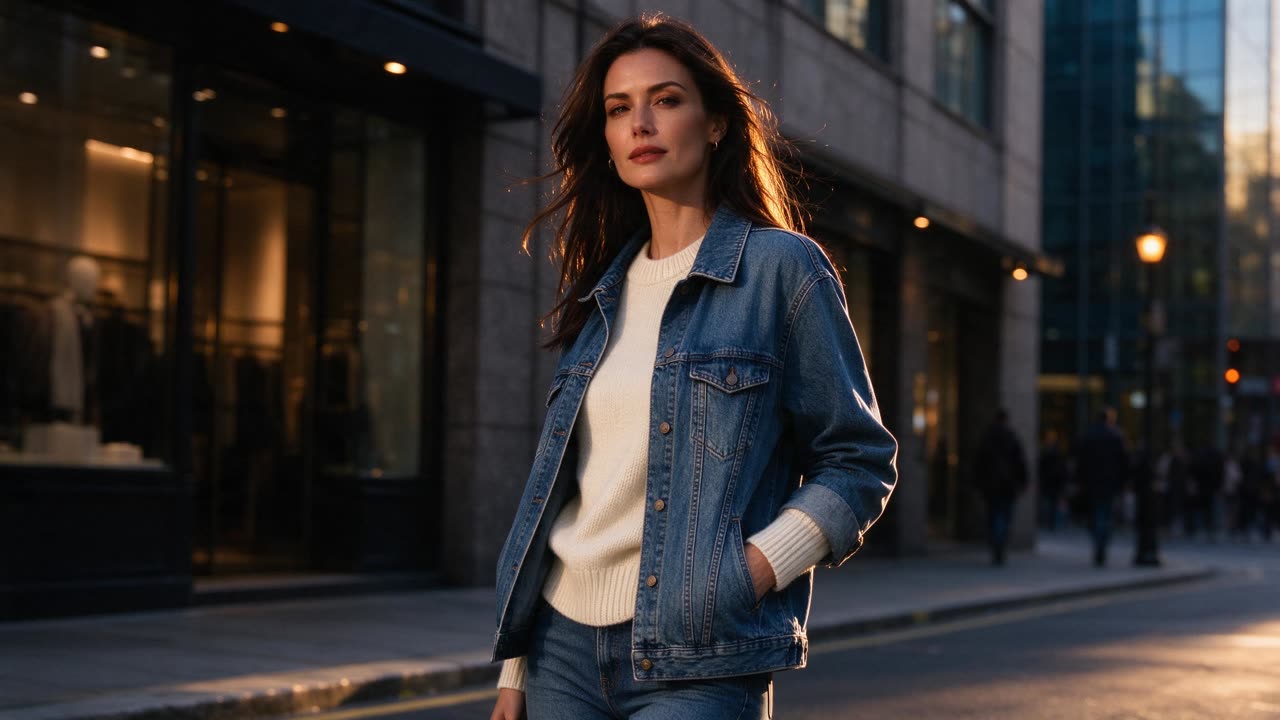
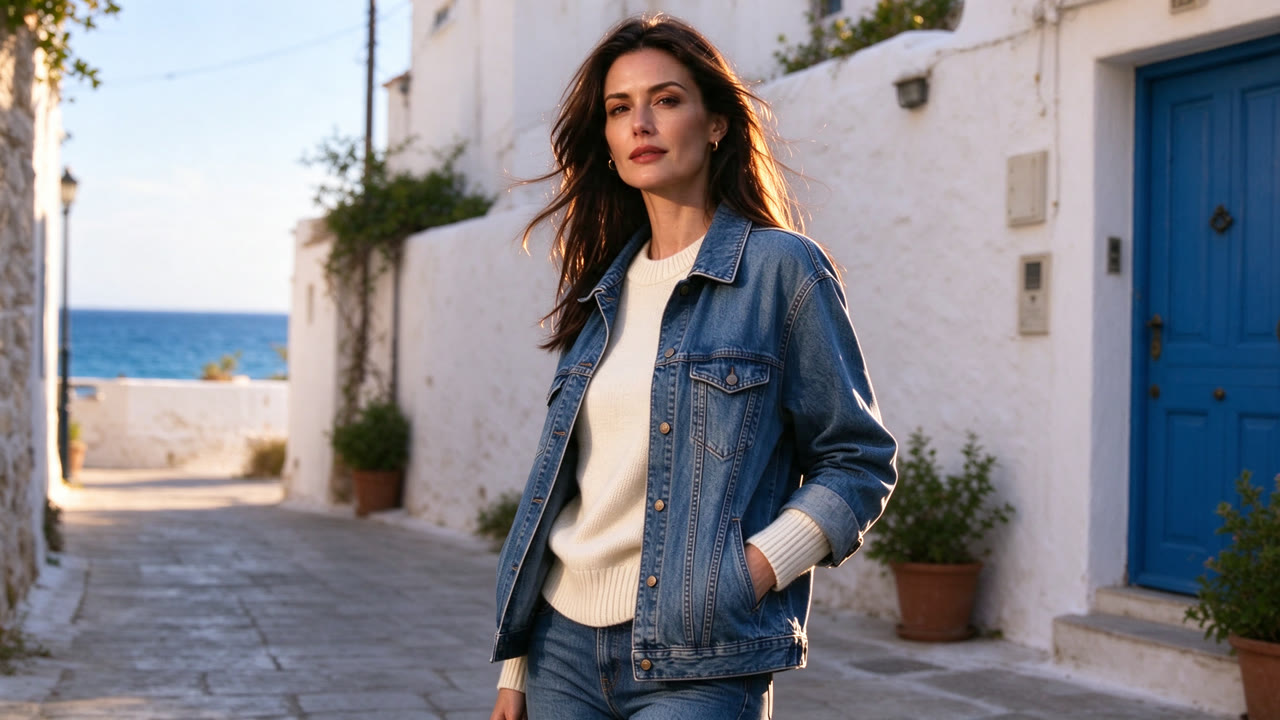
Keep the model, pose and outfit unchanged, place her on a sunny Mediterranean seaside street with white walls and blue doors, natural daylight, fashion editorial photo
Seedream 5.0 Flash
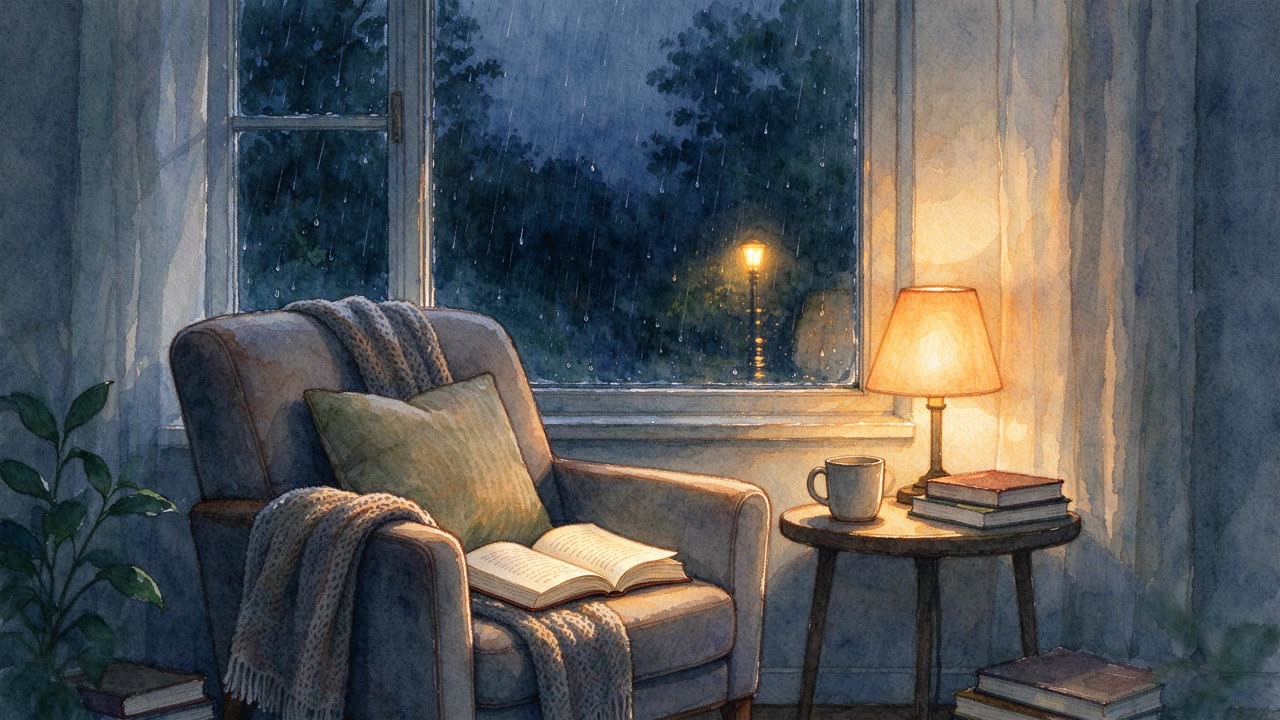
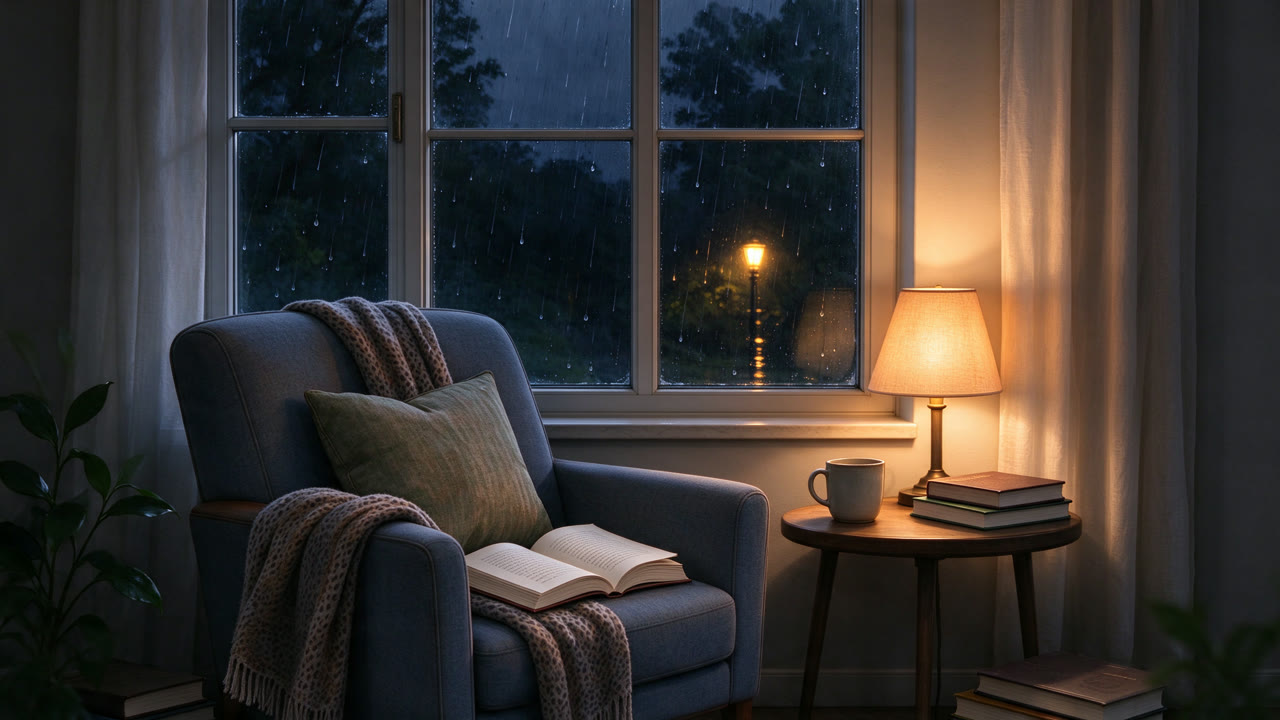
Turn this watercolor illustration into a photorealistic interior photo, same armchair, lamp, books and rainy window, warm cozy evening light
Seedream 5.0 Flash
What image to image can do
Image to image uses your pictures as references instead of starting from text alone. The AI keeps the subject, such as a product, a person or a building, and changes what you describe: the background, the lighting, the style or the setting.
You can upload several reference images in one generation. Combine a product with a scene, a person with an outfit, or a sketch with a style example, and Seedream brings them together.
Every Seedream model on Dola AI Video can edit images. Seedream 5.0 Pro gives the most detail, while Seedream 4.5 and 5.0 Lite are good at combining many references.
Why edit images with Seedream
Keeps your subject
Products, faces and buildings stay recognizable while the rest changes.
Multiple references
Mix several images into one result with a single prompt.
Restyle in one step
Turn a photo into watercolor, a 3D render, anime or a film look.
No masking needed
Describe the change in plain words instead of selecting areas by hand.
Clean downloads
No watermark, and every result is saved in My Creations.
Specs and credits
Credits depend on the options you pick. The exact amount is shown on the button before you generate.
| Model | Input modes | Quality | Aspect ratio |
|---|---|---|---|
| Seedream 5.0 Pro | Text · Reference | 1K · 7 credits per image2K · 14 credits per image | 1:1, 16:9, 9:16, 4:3, 3:4, 3:2, 2:3, 21:9 |
| Seedream 5.0 Lite | Text · Reference | 2K · 6 credits per image | 1:1, 16:9, 9:16, 4:3, 3:4, 3:2, 2:3, 21:9 |
| Seedream 5.0 Flash | Text · Reference | 1K · 4 credits per image1.5K · 4 credits per image2K · 4 credits per image | 1:1, 16:9, 9:16, 4:3, 3:4, 3:2, 2:3, 21:9 |
| Seedream 4.5 | Text · Reference | 2K · 7 credits per image | 1:1, 16:9, 9:16, 4:3, 3:4, 3:2, 2:3, 21:9 |
Seedream 5.0 Pro
- Input modes
- Text · Reference
- Quality
- 1K · 7 credits per image2K · 14 credits per image
- Aspect ratio
- 1:1, 16:9, 9:16, 4:3, 3:4, 3:2, 2:3, 21:9
Seedream 5.0 Lite
- Input modes
- Text · Reference
- Quality
- 2K · 6 credits per image
- Aspect ratio
- 1:1, 16:9, 9:16, 4:3, 3:4, 3:2, 2:3, 21:9
Seedream 5.0 Flash
- Input modes
- Text · Reference
- Quality
- 1K · 4 credits per image1.5K · 4 credits per image2K · 4 credits per image
- Aspect ratio
- 1:1, 16:9, 9:16, 4:3, 3:4, 3:2, 2:3, 21:9
Seedream 4.5
- Input modes
- Text · Reference
- Quality
- 2K · 7 credits per image
- Aspect ratio
- 1:1, 16:9, 9:16, 4:3, 3:4, 3:2, 2:3, 21:9
Seedance and Seedream are AI models developed by ByteDance. Dola AI Video is an independent platform that gives you access to them and is not affiliated with ByteDance.
How to edit an image with AI
- 1
Upload your images
Reference is already selected above. Upload the image you want to edit, plus any extra references.
- 2
Describe the change
For example: 'place this bottle on a marble counter in soft morning light'.
- 3
Generate and download
Pick a model and aspect ratio, generate, and download the new image.
Popular image editing ideas
New backgrounds for products
Move a packshot from a plain backdrop into a styled scene.
Style transfer
Give photos a painted, illustrated or cinematic look.
Staging and scenes
Place furniture or products into rooms and outdoor settings.
Campaign variations
Create several versions of one visual for different audiences and seasons.
Frequently asked questions
Can I change only the background?
Yes. Describe the new background and say that the subject should stay the same, for example: keep the product unchanged and place it on a beach at sunset.
How many reference images can I upload?
Several per generation. The limit depends on the model and is shown in the upload area of the generator.
Which model is best for editing?
Seedream 5.0 Pro gives the most detail. Seedream 4.5 and 5.0 Lite handle many references well, and 5.0 Flash is the cheapest for quick tests.
Will the result look exactly like my original?
The main subject stays recognizable, but the image is redrawn, so small details can change. Use a sharp reference and say clearly what must not change.
Can I edit photos of people?
Only photos you have the right to use. Do not upload images of other people without their consent. See our Terms of Service for the rules.
Are the edited images watermark-free?
Yes. We do not add a watermark, and you can use the images in commercial projects, subject to our Terms of Service and the terms of the model provider.
Explore more
Pay only for what you create
Credits never expire. Choose a monthly plan or a one-time credit pack.